
Windows 10 is Nearing End of Life – Here’s Why Your Business Should Act Now
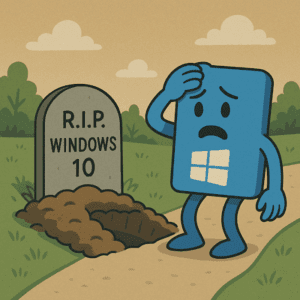
Microsoft has officially announced that Windows 10 will reach end of support on October 14, 2025. That may sound like a while away, but for businesses, the time to start planning is now. Whether it means upgrading to Windows 11 or replacing legacy hardware that can’t support it, waiting until the last minute could put your business at risk.
What Does End of Support Mean?
After the EOL date, Windows 10 will no longer receive:
- Security updates or patches
- Bug fixes and technical support
- Compatibility improvements for new software and hardware
This means any systems still running Windows 10 beyond that point will become increasingly vulnerable to cyber threats and non-compliant with data protection standards, particularly in regulated industries.
Why Businesses Can’t Afford to Delay
Unlike home users, businesses often have dozens—or even hundreds—of endpoints to manage. Migration isn’t something that can happen overnight. Waiting too long increases the risk of:
- Disrupted workflows due to rushed upgrades
- Increased costs for emergency hardware purchases or IT services
- Security breaches on unsupported systems
- Software incompatibility with new applications
If you’re running devices that don’t meet Windows 11’s hardware requirements, it may be more cost-effective in the long run to replace them now rather than trying to extend their lifespan on a soon-to-be unsupported platform.
Windows 11: More Than Just a Visual Refresh
Upgrading to Windows 11 isn’t just about staying supported—it brings tangible benefits to modern businesses, including:
- Improved performance and battery life on supported hardware
- Enhanced security features, including TPM 2.0 and Secure Boot
- Better support for hybrid work, with tools like Snap Layouts, virtual desktops, and tighter Teams integration
- Longer lifecycle, meaning fewer disruptive OS upgrades over the next decade
By modernising your systems, your business stays agile, secure, and compatible with evolving software ecosystems.
What Should You Do Now?
- Audit your devices to determine which ones meet Windows 11 requirements
- Plan a phased upgrade strategy for Windows 11
- Budget for hardware replacements where needed and note that as all businesses act to replace outdated devices before the EOL date supplies of devices are likely to be impacted.
- Work with your IT partner or MSP to manage licensing, data migration, and user training
Acting early means smoother transitions, better pricing on hardware, and time to train staff without disruption.
Final Thoughts
Windows 10 EOL isn’t just another IT update—it’s a pivotal opportunity for businesses to modernise their systems, tighten their security posture, and improve productivity. Proactive planning now will save time, money, and stress later.
If you’re unsure where your business stands or how to begin the transition, we’re here to help you assess, plan, and upgrade with confidence. Contact your existing IT partner or reach out to the GroupSupport team at 08 9277 1768 or support@groupsupport.com.au