
As hybrid and mobile working have become more common, many businesses are exploring portable screens as a way to boost productivity. These lightweight, USB-powered monitors promise to give staff more space to work from almost anywhere—hotel rooms, client sites, or even the kitchen table. But are they really worth the investment?
Portable screens do have clear benefits. For employees who often work away from the office, a second screen can make tasks like comparing documents, editing spreadsheets, or running virtual meetings much easier. Instead of constantly toggling between windows, staff can spread out their work across two displays, saving time and reducing frustration.
They’re also surprisingly compact. Many models are thinner and lighter than a laptop, slipping easily into a backpack or laptop bag. Most connect with a single USB-C or HDMI cable, so there’s no need for additional power adaptors or bulky docking stations.
In terms of cost, decent portable screens can be found for $300–$600, depending on size and features. While this is an added expense, it’s often far less than investing in a second full workstation setup.
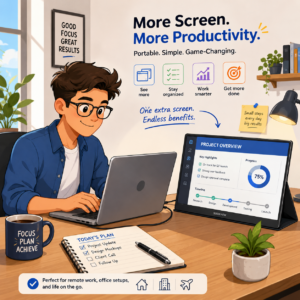
However, there are drawbacks to consider. Portable screens are generally smaller than a standard monitor—often around 14 to 16 inches—and may not be ideal for detailed design work or large spreadsheets. The build quality can also vary. Cheaper models sometimes have dim displays or flimsy stands that don’t hold up well to daily use.
Compatibility is another factor. Before buying, check whether your staff’s laptops support video output over USB-C or HDMI. Older devices may need adapters, adding to clutter and reducing portability.
Battery drain is worth noting too. Portable screens draw power directly from the laptop, which can shorten battery life significantly during long meetings or travel days. In some cases, carrying a portable power bank or choosing a screen with an external power option can help.
So, are portable screens worth it? For many businesses, the answer is yes—particularly if employees spend a lot of time working remotely and need more screen space. They offer a practical balance between convenience and productivity without the cost or size of traditional monitors.
On the other hand, if your team mainly works in the office or doesn’t regularly multitask across several windows, investing in better desktop setups may be a better use of funds.
If you’re considering portable screens and want help choosing the right models or assessing compatibility with your devices, GroupSupport IT is here to help. Contact us at support@groupsupport.com.au or call 08 9277 1768.